Innovation Mining (TRIZ)
Describe a technical problem you are stuck on and get several R&D directions, built by breaking down contradictions and matching inventive principles.
What it does, and what it doesn't
TRIZ is an invention method distilled from a large body of patents. It breaks a problem down into technical contradictions, then applies inventive principles to them. You don't need to know TRIZ. Describe the problem clearly and the tool handles the method.
It does three things:
- Restates your problem as technical contradictions: which parameter you want to improve, and which gets worse when you do.
- Matches inventive principles and generates concrete innovation directions.
- Triages each direction as pursue, investigate or decline, with reasons.
It runs no prior-art search, so its novelty and obviousness screens are first impressions from your description alone. You get R&D directions, not a patent application, a patentability opinion or a prediction of grant. Technical effects in the directions are the AI's reasoning, not test results.
Who it's for
- Engineers and R&D leads stuck on a trade-off, where improving one thing makes another worse.
- Teams going round in circles on the same design.
- Anyone with a pile of ideas who wants to rank them before committing resources.
What to prepare
- A description of the problem: background and use case, how it works today, where it is stuck, what you want to improve, and what you have tried.
- Optionally, technical documents or design notes. PDF, DOCX, DOC, JPG and PNG are accepted, up to 10 files, 50 MB each and 80 MB in total.
- You need at least one of the two. The more concrete the material, the better the fit.
Step by step
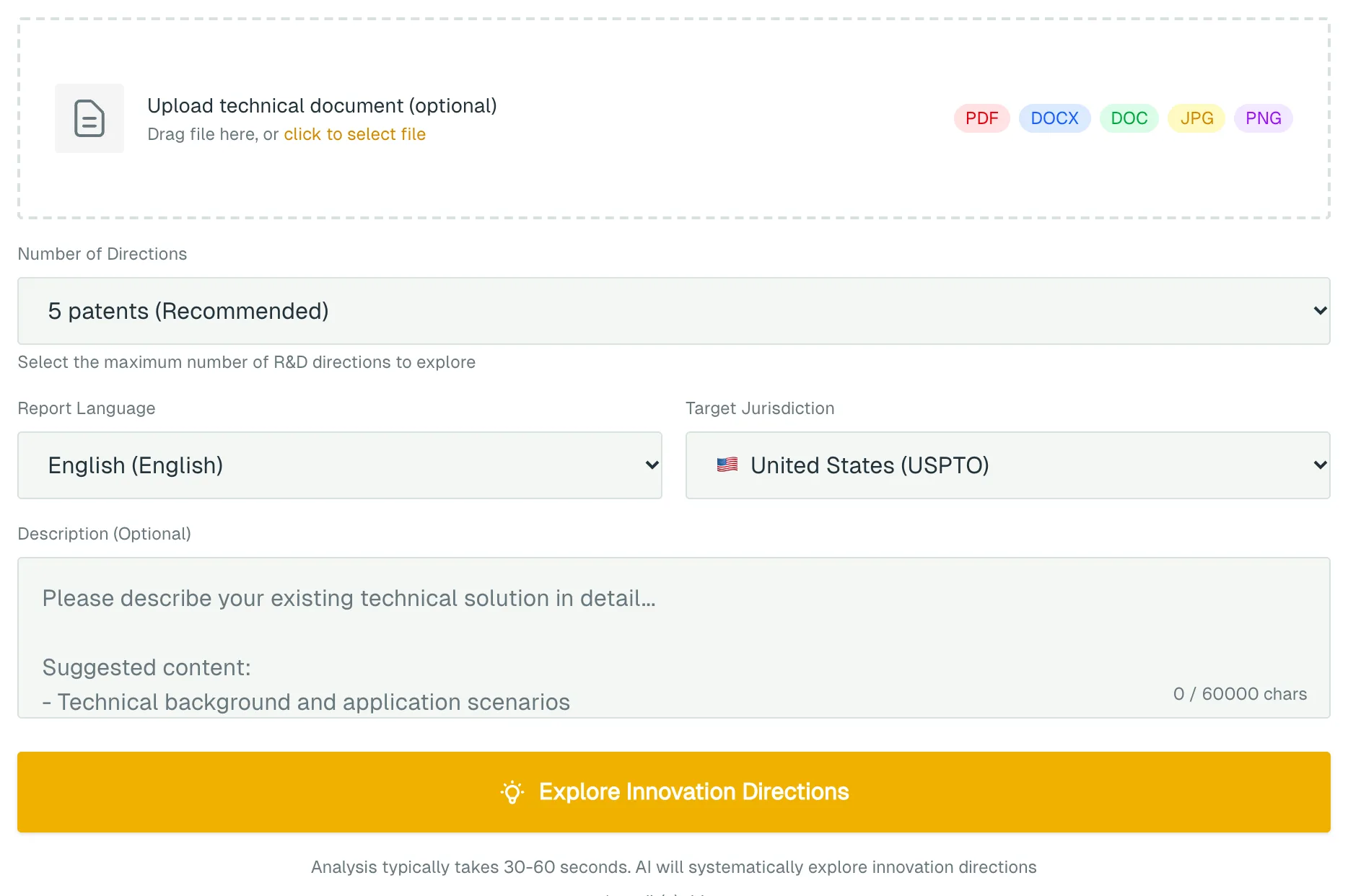
- Open Innovation Mining (TRIZ).
- To use documents, drag them into Upload technical document (optional) or use click to select file.
- Under Number of Directions, choose 3, 5, 8 or 10. The default is 5.
- Pick a Report Language and a Target Jurisdiction: the United States, China, Europe, the United Kingdom, Japan or Korea.
- Write the problem in Description (Optional). If you uploaded files, add any extra detail here.
- Click Explore Innovation Directions. You'll be asked to sign in if you haven't. Analysis usually takes 30 to 60 seconds, longer with several files or scans.
What you get
- R&D Directions Worth Exploring: each has a title, technical field and inventive principle, plus the problem solved, the technical solution, its innovation points and a technical summary you can copy.
- A triage panel for each direction: PURSUE, INVESTIGATE or DECLINE with the reason, six-screen results, open questions and next steps.
- A TIME-SENSITIVE banner if any direction fails the bar-dates screen. Check quickly whether the idea has already been made public.
- Technical Analysis: the current technology, the technical contradictions found and any physical contradictions.
- Innovation Approaches Applied: the principles used and how each could apply, followed by R&D suggestions.
You can Export PDF, Export Word, or click Share to create a link. The link works for 30 days and anyone who has it can view the result. Every run is saved to your run history.
Cost
Each analysis is 1 credit / run, charged when you click Explore Innovation Directions. The price doesn't change with the number of directions.
New accounts receive 25 credits. If a run fails and you get no result, the credits are refunded automatically. See Account and credits.
Things to know
- PURSUE only means a direction passed the first screen. It does not mean the idea is new or would be granted.
- Directions need real R&D to test them. Before filing you still need a full search and review by a qualified patent attorney.
- The tool reads up to 60,000 characters across all your material. Each file gets a share, and anything beyond that is left out.
- Redact highly confidential material before you upload it.
What to do next
- Pick a direction and click Go to “R&D Roadmap Planning” on the results page. R&D Roadmap Planning searches real patents and papers and turns the direction into a research plan. See the R&D Roadmap Planning guide.
- To check whether a direction can be written up as a patent, use Patentability Assessment.
- Once you have real R&D results, use Patent Application Drafting for a first draft, then have a patent attorney review it.