Patent Application Drafting
Turn an invention you have actually made into a complete first-draft patent application for your patent attorney to review.
Open the toolUpdated 2026-10-21
What it does, and what it doesn't
It turns your disclosure, an earlier draft or a plain description into a first-draft application: specification, claims, abstract and drawings.
- It works from your material only. Values with no source in your disclosure are left blank or flagged. It never invents experimental data.
- It does not predict grant, give legal advice or file anything for you. It writes one application per invention.
- Whether a patent is granted depends on whether the research behind it is real. A qualified patent attorney or agent must review the draft before you file.
Who it's for
- Inventors, engineers and small companies with a real invention who want a structured draft before seeing an attorney.
- Attorneys and agents who want a first draft to start from.
What to prepare
- Your disclosure or an earlier draft. Failing that, describe the problem, how the invention works, its key parts or steps, and any values you have measured.
- Files can be PDF, Word (.docx or .doc), JPG or PNG: up to 5 files, 200 MB each.
- If your notes are scattered, tidy them first with Invention Disclosure Preparation.
Step by step
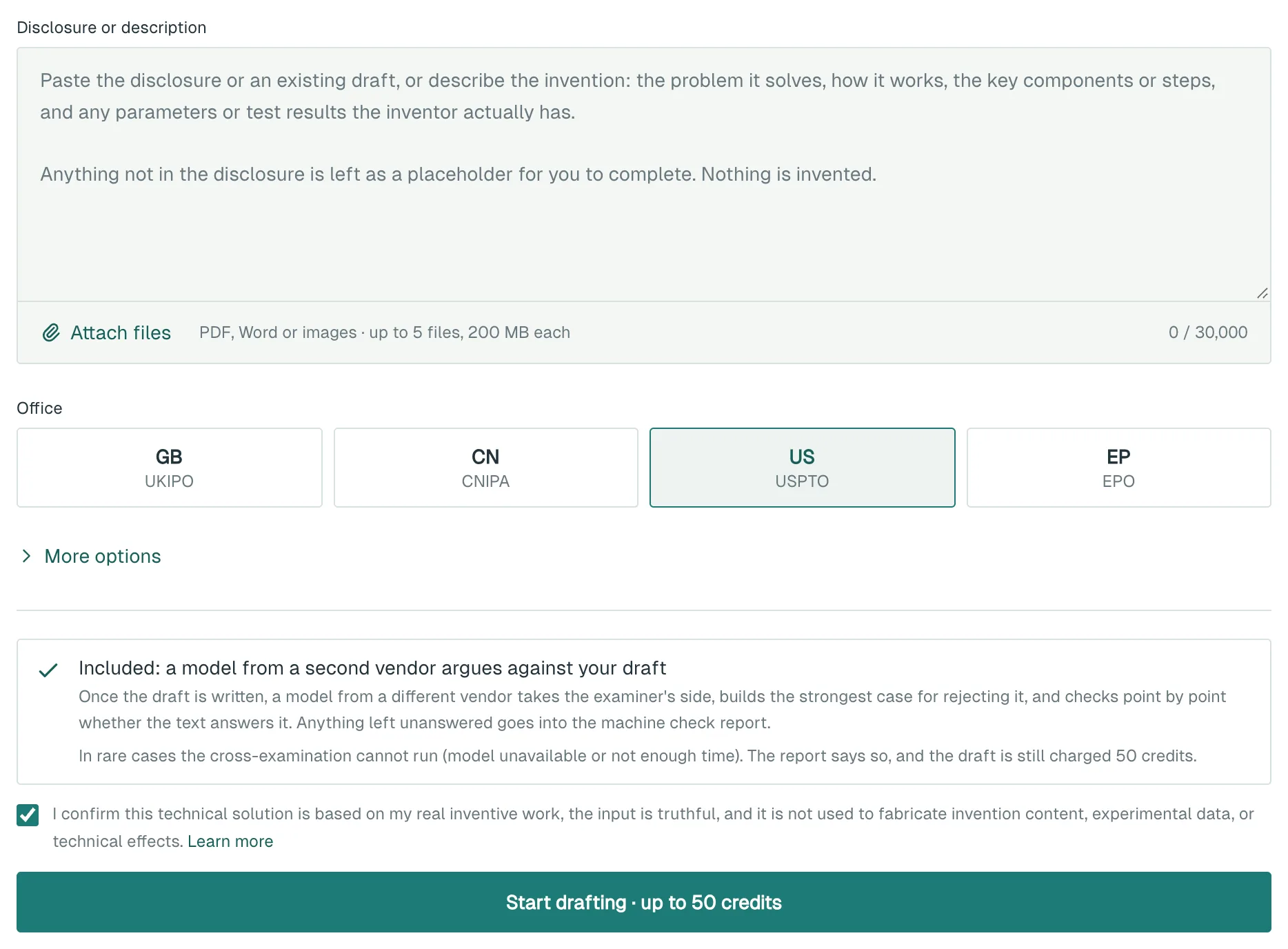
- Open Patent Application Drafting.
- Paste your text into Disclosure or description, or click Attach files.
- If you attach a Word file, its figures are listed below the box. Unticked figures stay out of the application and are not shown to the AI.
- Under Office, choose GB, CN, US or EP.
- Leave the truthfulness statement ticked.
- Click Start drafting. The price is on the button, and clicking it charges your credits.
- Wait a few minutes. If you refresh, the progress picks up where it was.
What you get
- Patent Application Draft: technical field, background, summary, claims, detailed description, drawings and abstract. Use Ask AI to revise or Edit manually on any section. AI changes are shown side by side and only replace the text when you click Use this version.
- Drawings: diagrams and flowcharts from your disclosure go in, in their original order, and Where the disclosure figures went explains any left out. The rest are AI sketches drawn from the text. If one is wrong, tick what is wrong and click Redraw with these fixes.
- Pre-delivery machine check: everything you must verify yourself, exportable on its own. It lists any objection, raised by a second vendor's model arguing the examiner's side, that the draft leaves unanswered.
- Downloads: Export Word, Export PDF and Export inventor supplement form (Word). CN and US applications with drawings also get Download drawing sheets (PDF + DXF).
EP, GB and US applications are written in English, and their background cites patents found in a real search. Once the inventor answers the questionnaire in writing, click Enter answers to re-draft with them. A CN application's background covers only the prior art in your disclosure. The patents found are listed under Search references (not part of the application).
Cost
- One draft costs 50 credits / run for any office, cross-vendor review included. If the review cannot run, the report says so and the credits are not refunded.
- Section edits, Re-run checks and downloads are free. Each AI sketch can be redrawn twice for free.
- Redrawing a figure from your own sketch or CAD file costs 3 credits / run, refunded if nothing is delivered.
- Rewrite whole draft and re-drafting with inventor answers are charged as a new draft.
Things to know
- Drafts are not kept in your run history, only in a temporary cache for up to 24 hours. Click Export Word before you leave.
- The machine check does not update when you edit. Click Re-run checks afterwards.
- AI sketches are not a record of your real product. Check each one before filing.
- If you give only a concept, the tool infers a draft from it and says so at the top. You must actually build and verify that content before filing it.
- You are responsible for the truthfulness of what you submit.
What to do next
- Work through the machine check and the inventor supplement form, filling every blank with a measured value.
- Take the draft and the report to a patent attorney or agent, who finalises and files it.
To file abroad, see Filing-Format Patent Translation.