Filing-Format Patent Translation
Translate a patent application between Chinese and English or Chinese and German, delivered as an editable Word file in filing format.
Open the toolUpdated 2026-10-21
What it does, and what it doesn't
It translates one patent application between Chinese and English, or Chinese and German, and delivers it in filing format.
- Paragraph numbering, figure references and formatting are kept, and terms stay consistent throughout.
- When translating into English, you pick a target office. Only the claim phrasing and spelling follow that office. Content and claim dependencies are translated exactly as in the original.
- You get an editable Word file, usually with a PDF. Nothing is added to the text, and there is no disclaimer in the file.
It doesn't replace review by a patent attorney, and it doesn't file anything for you.
Who it's for
- Companies and inventors with a Chinese application who plan to file in Europe, the UK, the US or a German-speaking country.
- Anyone with an English or German patent document who needs it in Chinese.
- Patent attorneys who would rather review a properly laid-out draft than start from scratch.
What to prepare
- One application file, as PDF or Word (.docx or .doc).
- Up to 150 pages and 100 MB. Split anything larger and upload the parts separately.
- A normal page layout. Files that pack far more text onto a page than usual are turned away.
- Know which language the original is in.
- An account. If you aren't signed in, the start button asks you to sign in first. Your file stays selected.
Step by step
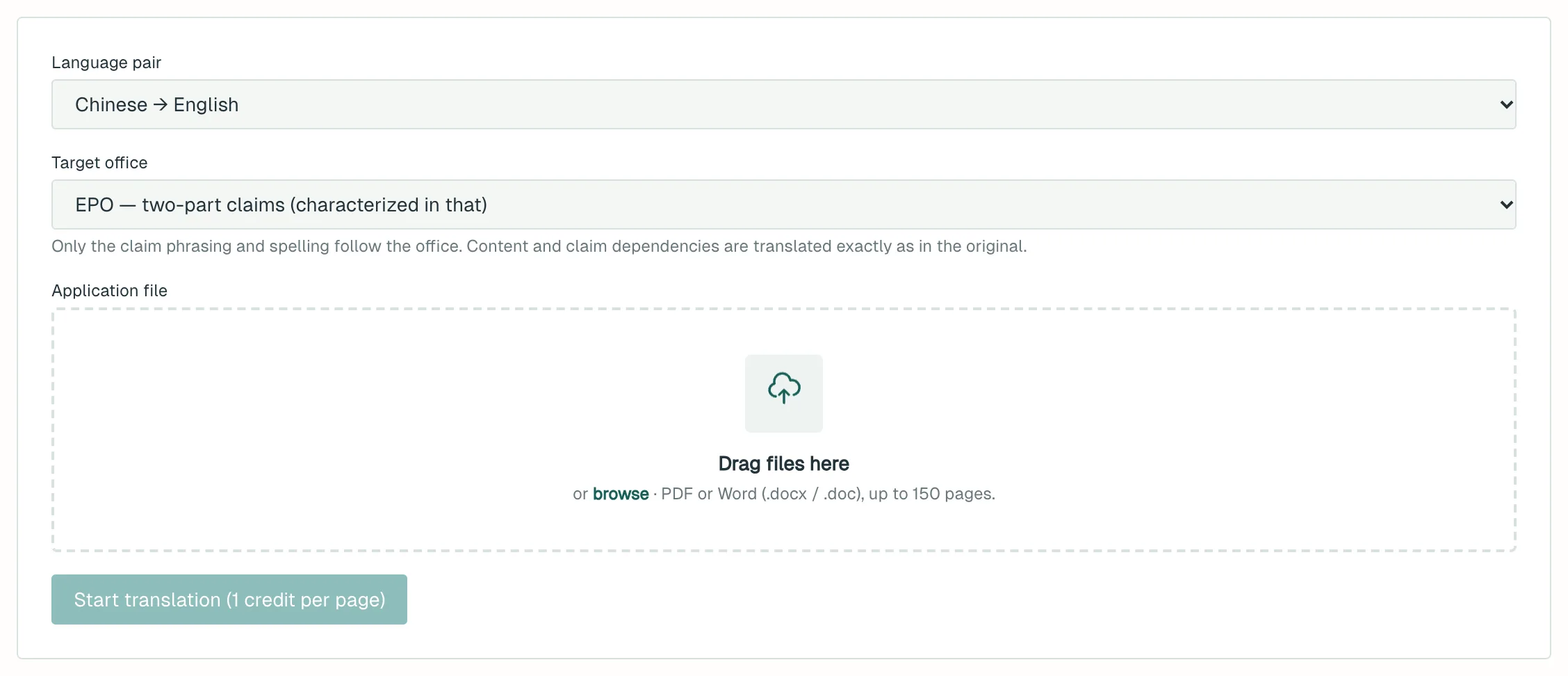
- Open Filing-Format Patent Translation.
- Under Language pair, choose Chinese → English, English → Chinese, Chinese → German or German → Chinese.
- If you're translating into English, choose the EPO, the UKIPO or the USPTO under Target office. The EPO is the default.
- Add your file under Application file.
- Click Start translation. The button shows the price per page. Clicking it counts the pages, charges your credits and starts the job, with no second confirmation.
- The page shows the page count, the cost and a progress bar. You can leave; the job keeps running.
- When it's done, click Download Word or Download PDF.
What you get
- An editable Word translation, usually with a PDF copy.
- When translating into English, claims follow the office you chose:
- EPO: two-part claims (characterized in that).
- UKIPO: two-part claims, British spelling (characterised).
- USPTO: comprising … wherein, no two-part form.
- Notes for the reviewer (not included in the file): this appears on the results page when there is something to check, such as discrepancies in the source, adjustments made in the translation, or sentences restated because the source doesn't parse.
Cost
Charged per page: 1 credit / page. A PDF is counted by its pages. A Word file is converted to PDF first, then counted.
- There is no quote step. Clicking Start translation charges for the pages in your file.
- If the translation can't be completed, your credits are refunded automatically.
- You can run one translation at a time. A second submission before the first finishes is turned down, and you aren't charged.
- If the translated file is no longer on our server, click Regenerate the file (free). You won't be charged again.
Things to know
- This is machine translation. A registered patent attorney must review it before filing. Because the file has no disclaimer, it can be filed once reviewed.
- Translations are kept for 7 days and then deleted, so download yours promptly.
- Closing the page doesn't lose the job. Come back and find it under Your recent translations, then click Open or Download Word.
- Choose the language pair that matches the original. If it's the wrong way round, the output comes back almost identical to the source, the job fails and your credits are refunded.
- For Chinese → English, a file that isn't a patent document (an FTO report, say) is translated in a way suited to reports. When in doubt, it is treated as a patent.
What to do next
- Send the Word file to your patent attorney for review, then file it.
- No Chinese application yet? Start with Patent Application Drafting.
- Getting a product ready for market? Run an FTO Screen to check for infringement risk.