Patentability Assessment
Describe your technology and find out whether it can be written up as a patent, and from which angles.
Open the toolUpdated 2026-10-21
What it does, and what it doesn't
The tool reads your description and answers one question: could this be written up as a patent application, or would it be knocked out at the first gate because patents don't cover that kind of thing?
You get five directions you could file on, each with one of three verdicts:
- Can be drafted as it stands: an attorney can draft from your current wording.
- Needs recasting first: the technical core is real, but it is written in commercial language. It needs re-expressing in engineering terms before drafting.
- Cannot be filed: it is a business rule, a mental process or a presentation of information. Rewording won't rescue it.
It runs no prior-art search, so it says nothing about whether your idea is new. It doesn't predict grant or check infringement. It is an AI screen, not legal advice.
Who it's for
- Inventors and engineers deciding whether an idea is worth taking to a patent attorney.
- Founders who don't speak patent. Plain engineering language is enough.
- Teams with software or algorithm products, which are often described in market terms.
What to prepare
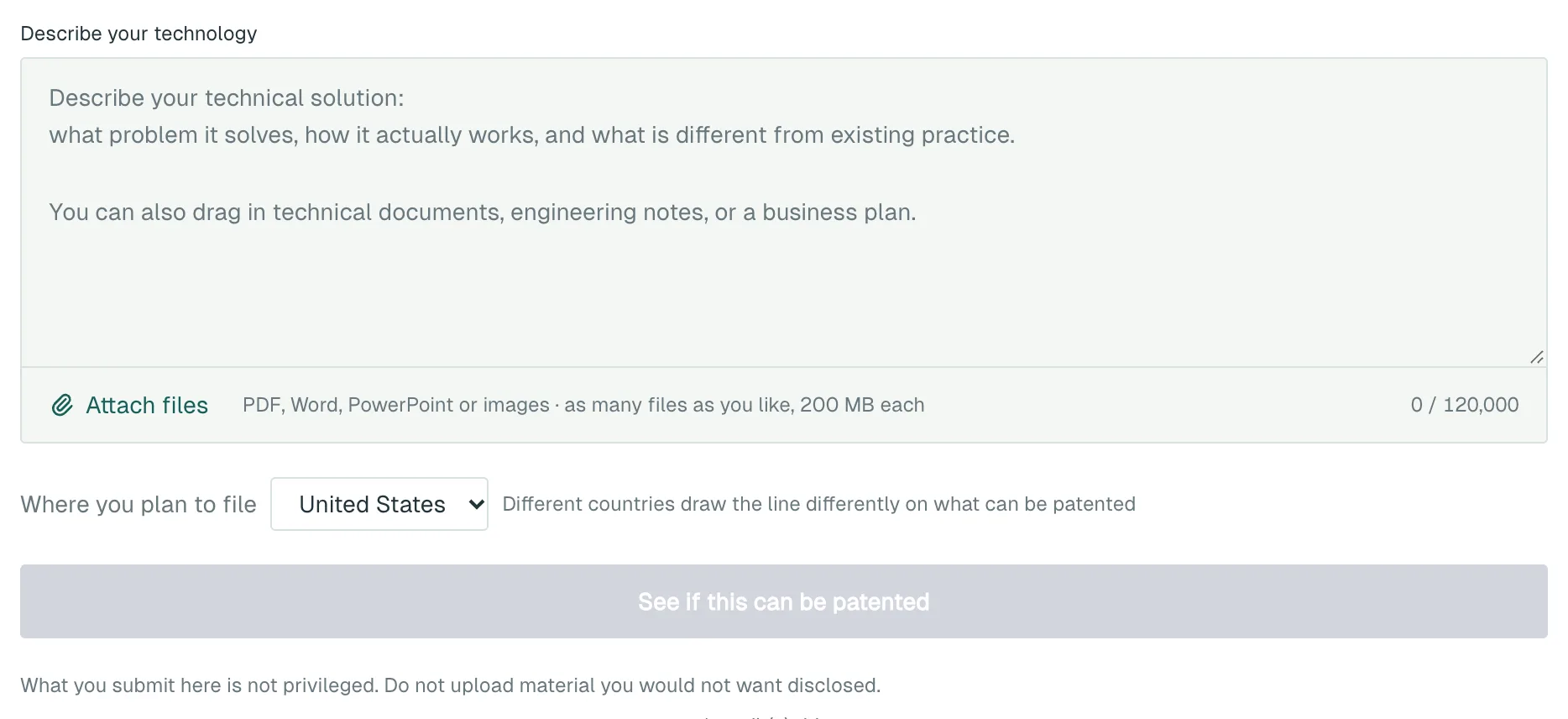
- A description: the problem you solve, how it works, and how it differs from existing practice.
- Optionally, technical documents, engineering notes or a business plan. PDF, Word, PowerPoint, JPG and PNG are accepted, any number of files, up to 200 MB each. You need to be signed in to upload.
- Where you plan to file: China, the United States or Europe.
Step by step
- Open Patentability Assessment.
- Write your description in Describe your technology. To add files, click Attach files or drag them into the box.
- Pick a country under Where you plan to file. The English interface defaults to the United States. Europe must be chosen by hand.
- When your files have been read, click See if this can be patented. You'll be asked to sign in if you haven't. Results arrive within a few minutes.
- To take the directions further, click Unlock the full report.
- To start an application from a direction, click Draft from this under it. Directions marked "Cannot be filed" don't have this button.
What you get
The five directions
- An overall verdict, stating which country's law was applied.
- For each direction: a proposed title, one line on what it protects, its verdict and the reason, and the passage of your material it came from.
- A prominent notice that no prior-art search was run.
The full report
- For each direction: the technical problem and effect, the reasoning, what to do next, and a skeleton independent claim.
- For directions that can be filed, a "Worth filing?" verdict on four factors: selling point, design-around, detectability and lifespan. It is based on your material only and is not market research or a valuation.
- A terminology map, and what to use instead of a patent for the parts that can't be filed.
- If you chose China, advice on invention patent versus utility model.
- A filing roadmap, the law cited in plain English, what the report does not prove, and questions you still need to check.
- Export PDF and Export Word buttons.
Both results are saved to your run history.
Cost
- Each run: 1 credit / run, charged when you click.
- The full report: 10 credits / run, unlocked only if you choose to after seeing the directions. Refunded automatically if it fails.
- Drafting after Draft from this is charged separately. See Patent Application Drafting.
New accounts receive 25 credits. For charges and refunds, see Account and credits.
Things to know
- "Can be drafted as it stands" does not mean it will be granted. Grant depends on the prior art, the drafting, and whether real R&D sits behind it.
- The skeleton claim is a starting point for your patent attorney, not something to file.
- What you submit is not privileged. Describe confidential detail only as far as needed to judge direction.
- Material over 120,000 characters is trimmed, keeping technical sections first. The page tells you when this happens.
What to do next
- Click Draft from this to move to Patent Application Drafting. Only the material you submitted is carried over. The AI's claim drafts are not mixed into your technical description.
- To find more technical breakthroughs in that area, use Innovation Mining (TRIZ).
- If a product is heading to market, check whether it runs into other people's patents with the FTO Screen.