R&D Roadmap Planning
Turn a technical problem into an R&D roadmap built on a real patent search, with testable hypotheses, a verification checklist and next directions.
What it does, and what it doesn't
Describe a technical problem and the tool builds an R&D roadmap on a real patent search: the prior-art landscape, a solution concept, how to build it, a verification checklist and next directions.
It does not draft a patent application or judge patentability. The roadmap is a research record that helps you decide which experiments to run.
Details the AI can't verify are flagged for you to test, not filled with invented values. Every patent number cited comes from this run's search. Any other number is removed.
Who it's for
- Engineers with a real technical problem who want to see how far others have got.
- Anyone who found a direction with Patentability Assessment or Innovation Mining (TRIZ) and now wants a plan.
What to prepare
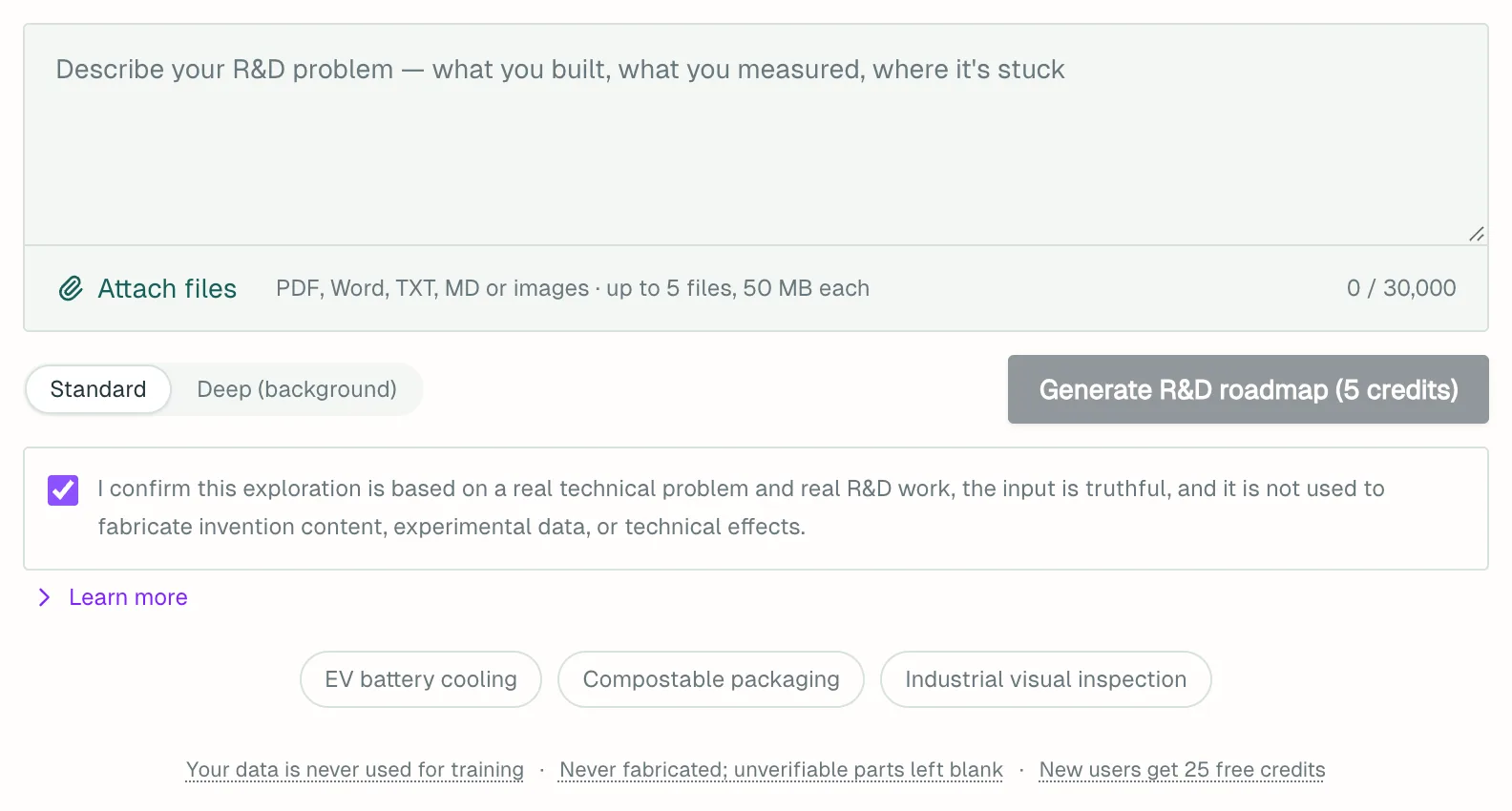
- A description of what you built, what you measured and where you're stuck. Be specific. Up to 30,000 characters.
- Optional files: PDF, Word, TXT, MD, JPG or PNG. Up to 5 files, 50 MB each. If no text can be extracted from a file, such as a drawings-only PDF or a scan, the run uses only what you typed.
Step by step
- Open R&D Roadmap Planning from the top menu.
- Describe your problem. The examples under the box show how.
- Click Attach files to add material.
- Pick Standard or Deep (background).
- Leave the truthfulness confirmation ticked and click Generate R&D roadmap, or Start deep exploration for the deep tier. The button shows the price.
- A standard run usually takes a few minutes. A deep run takes about 10 to 30 minutes in the background, so you can close the page and come back.
After you run an experiment
- Next to a hypothesis or a checklist item, click I tested this.
- Choose a result, say what you observed, add figures and method if you have them, and click Save.
- Your first entry creates an R&D project, listed under My R&D projects in your avatar menu.
What you get
Some parts appear only when there is something to show.
- At a glance: the bet, what to verify first and the first step.
- R&D Background & Prior-Art Landscape and Prior Art & Entry Points.
- Solution Concept & Innovations: testable hypotheses, each with a success signal and a failure signal.
- How to build it & why it works: implementation steps and a key-parameter table. The values are AI suggestions that you need to measure.
- Research Verification Checklist (R&D Companion): items graded by urgency, each with a way to test it.
- What to do next: directions in priority groups, each listing the closest existing patents found.
- Appendix · Process & data: the patents referenced, plus related papers when the search finds any.
Download with ↓ PDF or ↓ Word at the top right. Results are also saved to Run history.
Once you record results, Rerun with verified results appears and skips directions you ruled out. Download record (Word) exports a dated R&D activity record for your files or your patent attorney.
Cost
- Standard: 5 credits / run.
- Deep (background): 20 credits / run, charged on submission. A task that ends without a result is refunded. Cancel after a version is locked in and you keep that version, and the charge stands.
- A rerun is charged at the tier you pick. Recording results and exporting the activity record are free.
Refunds for failed runs are covered in Account and credits.
Things to know
- The roadmap is R&D guidance, not a view on patentability. Whether to file, and whether it could be granted, is for a patent attorney after a formal search.
- "No close patents found" does not mean nobody has done it.
- A patent application must rest on genuine R&D. Fabricating data or technical effects is an improper filing practice, and the applicant bears the consequences.
- You can run one deep exploration at a time and submit up to 3 a day.
- A saved verification entry cannot be edited or deleted on its own. To correct it, add another entry. You can delete the whole project at any time.
What to do next
Two buttons at the bottom carry your work forward after you confirm.
- Invention Disclosure Preparation takes your own text and uploaded files. The AI's plan stays out of the result. See Invention Disclosure Preparation.
- Patent Application Drafting does not take your files, so upload them again if you need them. See Patent Application Drafting.