Invention Disclosure Preparation
Turn scattered R&D material into a structured technical disclosure, backed by a real prior-art search.
What it does, and what it doesn't
Upload your R&D material, such as lab notes, papers, product manuals or photos of sketches. The tool searches the prior art and organises everything into a Technical Disclosure with four chapters: background art, prior art, the invention, and the problems it solves. A reference list comes at the end.
It organises and researches. It does not draft a patent application, claims or a specification.
The invention chapter keeps what your material records apart from points the AI has inferred. Every inferred point is labelled "AI inference · to be confirmed by the inventor".
Who it's for
- R&D teams preparing to file, with material spread across many documents.
- Inventors who want their material in order before seeing a patent attorney.
- Anyone coming from R&D Roadmap Planning.
What to prepare
- Your material: up to 5 files, 50 MB each and 80 MB in total. PDF, Word, PowerPoint, TXT, MD, JPG and PNG are accepted.
- Optional notes: background, the problem you want to solve, anything the files don't cover. You need at least one file or some notes.
- The more real and complete your material, the better the result. The tool won't fill in content your material doesn't contain.
Step by step
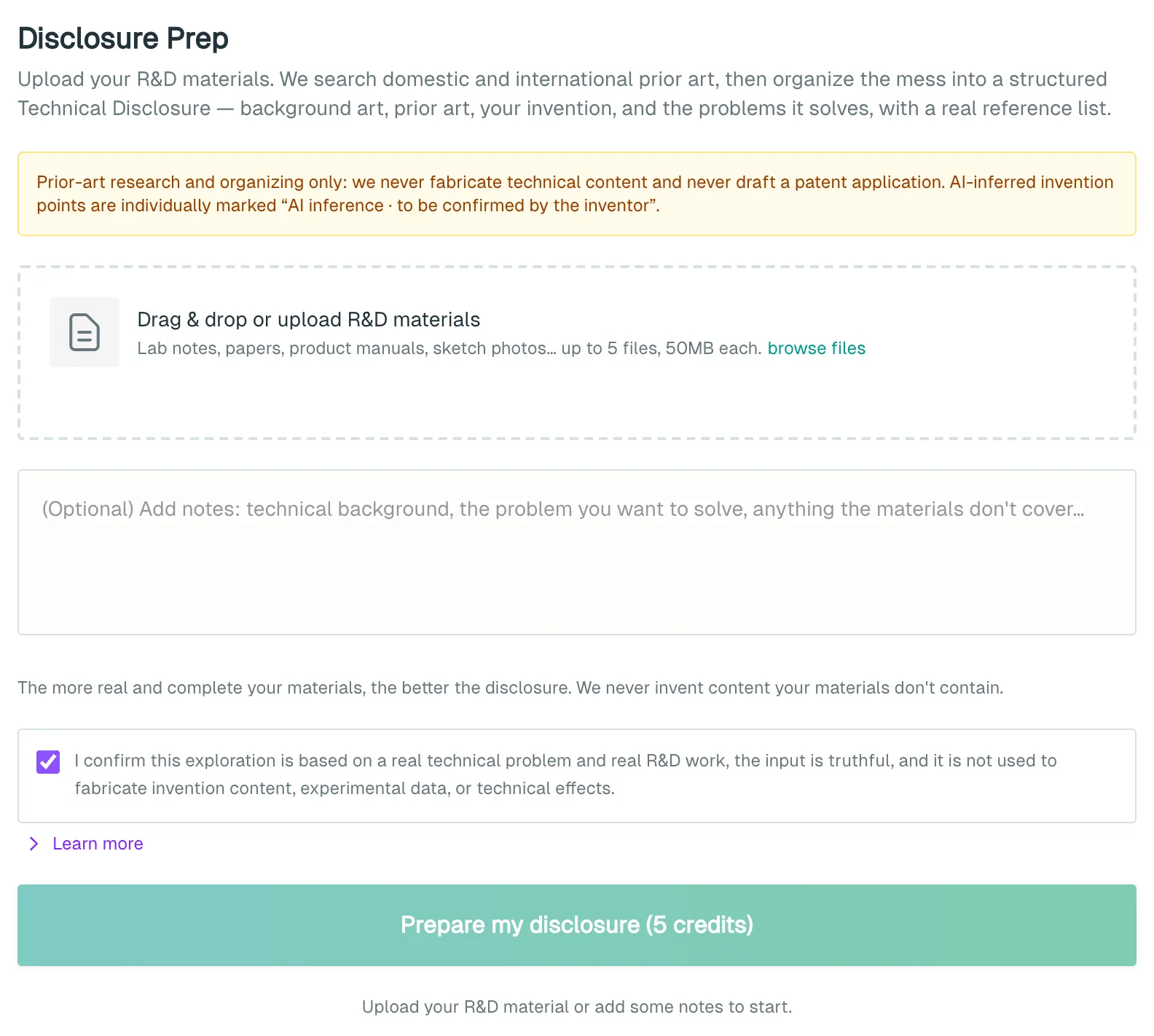
- Open Invention Disclosure Preparation.
- Drag your files into the upload area, or click browse files.
- Add notes in the box below if you want to.
- Leave the truthfulness confirmation ticked and click Prepare my disclosure. The button shows the price.
- Wait while it parses your files, searches prior art, analyses and assembles the disclosure.
If you come from R&D Roadmap Planning, the files you uploaded there appear in the file list. If they don't, upload them again.
What you get
- At the top: which patent databases were searched, and a novelty warning.
- 1. Background Art: the technical field and the state of the art.
- 2. Prior Art: a review of each patent found, with its relevance and limitations.
- 3. The Invention: content recorded in your material with quotes from the source, AI-inferred points, and gaps for the inventor to fill.
- 4. Problems Solved: set against the prior art.
- Appendix: Reference List: click View patent to open each one.
Use Download Word or Download PDF to keep a copy. The disclosure is not saved to Run history, so download it before you leave.
Cost
Each run costs 5 credits / run. Clicking the button starts the run and charges the credits. If it fails and you get no result, the credits are refunded automatically. See Account and credits.
Things to know
- The document is not a patent application and not legal advice. Whether to file is for a registered patent attorney to judge, and any patent depends on genuine R&D behind it.
- Inferred points give a direction only. Any inferred point containing a figure is dropped. Content that claims to come from your material but can't be traced there is moved to the inferred list. Have the inventor confirm each point before anything is filed.
- Patent numbers cited come only from this search. If nothing relevant turns up, the document says so, which does not mean nothing exists.
- The search looks at US, European and international (WO) patent filings. If a source fails, the note at the top says so.
- A disclosure describes unfiled inventions, and making it public may destroy novelty. Before Share creates a public link, you are asked to confirm.
- Coming from R&D Roadmap Planning, the AI's plan is shown for reference only and does not enter the result. If you want something from it, write it into your notes yourself.
What to do next
- Ask the inventor to confirm the inferred points and fill the gaps.
- Then hand it to a patent attorney, or draft a first version for attorney review with Patent Application Drafting. See Patent Application Drafting.
- Still unsure about the direction? Start with R&D Roadmap Planning.